02 · A calm place to do the teaching work
Give teachers a clear week, a useful profile and fewer loose ends.
Availability, bookings, learner context, payments and academy support stay close to the lesson rather than spread across disconnected tools.
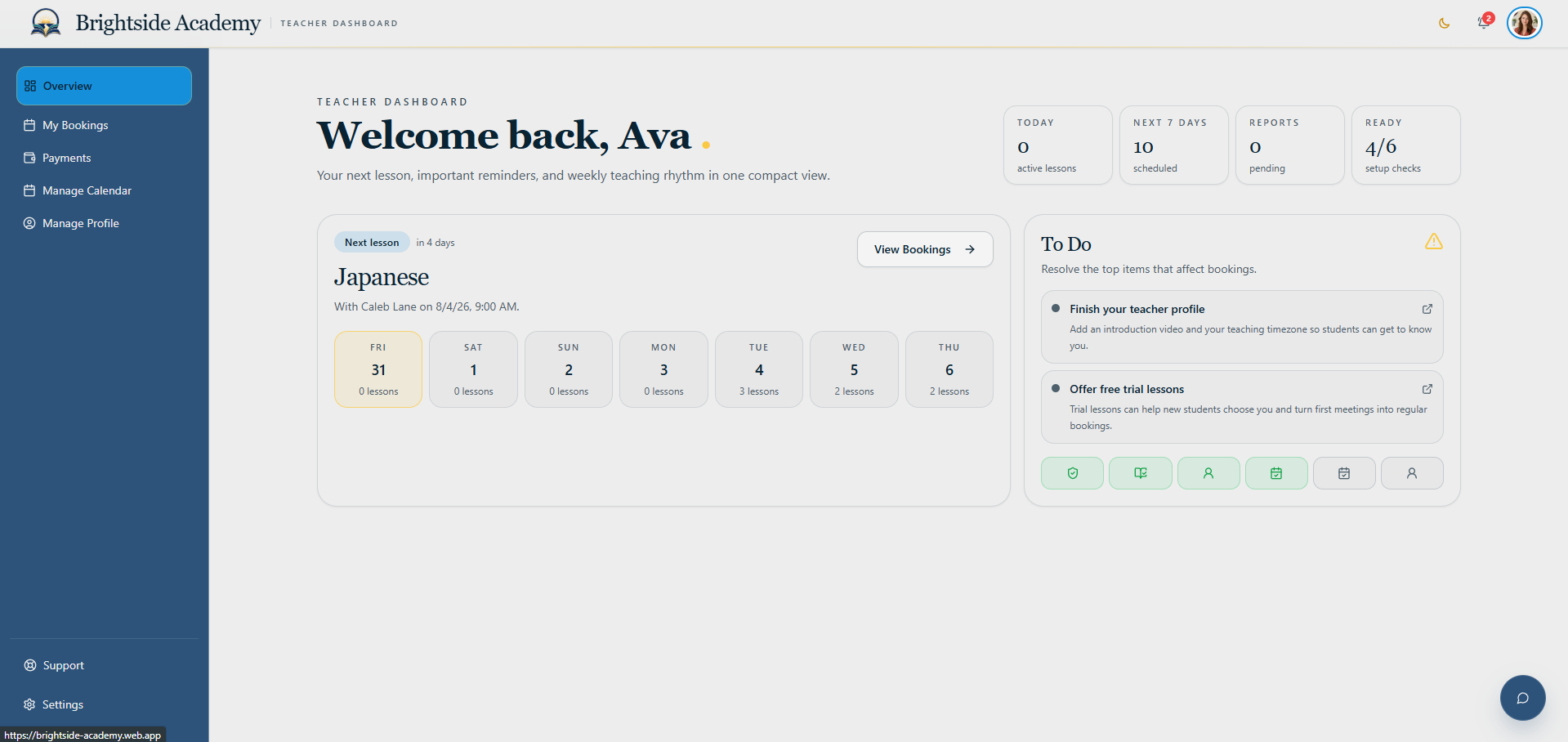
Teachers can focus on teaching without becoming their own operations team.
Start with the next useful action
Upcoming classes and unfinished work are easy to find.
The teacher overview brings the week, the next booking and outstanding actions into one composed starting point.
- Upcoming lesson context
- Weekly rhythm
- Outstanding reports and profile tasks
Every lesson keeps its context
View upcoming and past bookings without reconstructing the story.
Booking cards keep lesson, learner, material and historical classroom information available before and after teaching.
- Upcoming and historical views
- Lesson and learner details
- Cancellation and classroom records
Know what the completed work means
Earnings, timesheets and invoices stay visible to the teacher.
The payment workspace helps teachers understand completed earnings and review the timesheet information used for their invoice.
- Earnings summary
- Timesheet review
- Invoice access
Shape a reliable teaching week
Manage availability and see bookings in the same calendar.
Teachers can open and close booking time while keeping confirmed lessons visible in the schedule they already use.
- Open and closed availability
- Calendar booking view
- Direct access to booking detail
Help learners choose with confidence
A teacher profile that connects personality, audience and subjects.
Teachers can maintain the profile learners browse, including an introduction, teaching details, availability context and the subjects they are approved to offer.
- Public profile and introduction video
- Audience and trial preferences
- Subject participation and pay-term acceptance
The academy remains close
Ask for help without leaving the teaching workspace.
A teacher can submit a structured request directly to the academy with the category and detail needed for a useful response.
- Academy support requests
- Structured categories
- Clear issue detail
Personal control without clutter
Appearance, security and notifications stay easy to manage.
Teacher account settings keep personal preferences and important academy documents available without mixing them into lesson operations.
- Light and dark appearance
- Security and notification preferences
- Platform and legal documents
Ready when you are
See the system. Then shape the academy inside your account.
Create an account, enter your private dashboard and start an academy plan when you are ready. Your public visit never becomes an exposed application form.