04 · A public face built for the academy
Give every academy a distinct website without disconnecting it from the product.
Custom marketing pages can express the academy’s identity while presenting courses, packages and FAQs managed by the academy behind them.
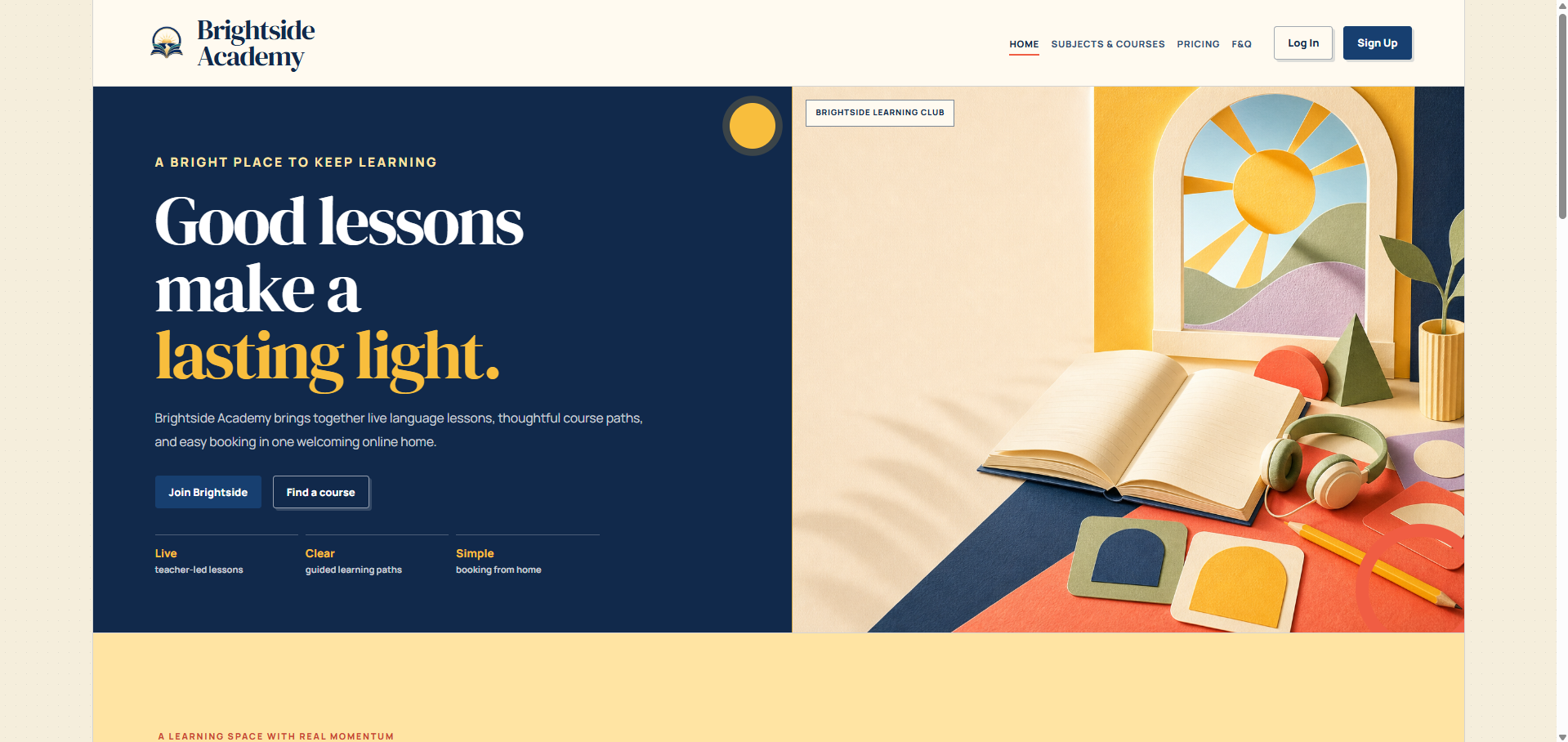
Distinct in public. Connected behind the scenes.
Not another academy template
A public experience shaped around the academy’s own story.
The Brightside example shows the degree of visual freedom available: editorial layouts, expressive colour and clear conversion paths while the working academy remains connected behind it.
- Custom visual direction
- Responsive public experience
- Clear routes into the academy
Let learners see the path
Present courses as outcomes, not database rows.
Public course pages can translate the academy catalogue into approachable pathways with useful detail and a clear next action.
- Subject and audience filtering
- Visual course cards
- Direct route to the academy account
Make pricing feel considered
Help visitors choose the learning rhythm that fits.
Package pages can keep audience, subject and offer context visible so price is understood as part of a learning decision.
- Audience-aware presentation
- Subject-led package discovery
- Comparable offer cards
Answer the useful questions early
Turn repeated questions into a confident public resource.
Academy-managed FAQs can be published in a designed, readable format that helps visitors understand the offer before they need support.
- Dashboard-managed answers
- Readable public presentation
- Fewer avoidable support questions
Ready when you are
See the system. Then shape the academy inside your account.
Create an account, enter your private dashboard and start an academy plan when you are ready. Your public visit never becomes an exposed application form.